

Database
Overview
Using databases to solve problems is nothing new. Computerized 'general problem solvers' have been around since the early 1950's. But with the advent of cloud computing and recent advancements in cognitive science; effective high-tech problem-solving is now within everyone's reach.
Database Design
Work through your problem from start-to-finish using our innovative Problem-Solving Matrix approach. Here's a diagram of the template that the MySolver™ database design was based on. Use this integrated problem-solving system to analyze and organize all of your 'Objective Data' and 'Subjective Thoughts'.
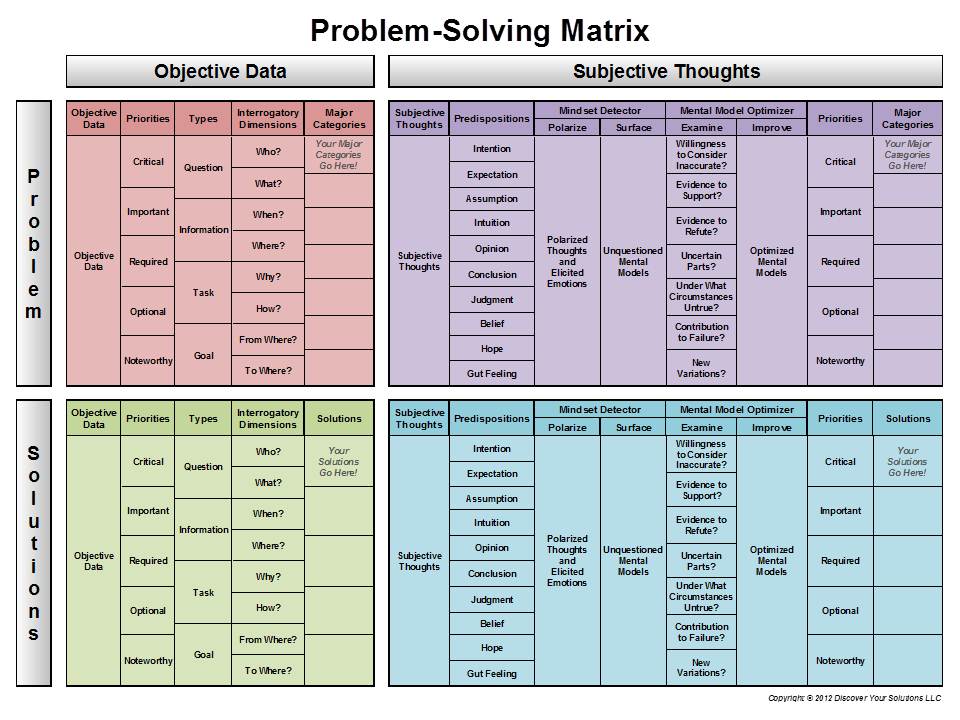
Diagram of the Problem-Solving Matrix* (click to enlarge).
*Copyright © 2012 Discover Your Solutions LLC.
Oracle MySQL Database
At the heart of MySolver™ is a powerful Oracle MySQL database.
MySolver™ Screenshots below:
Private User Accounts
Login to your own password protected work environment.
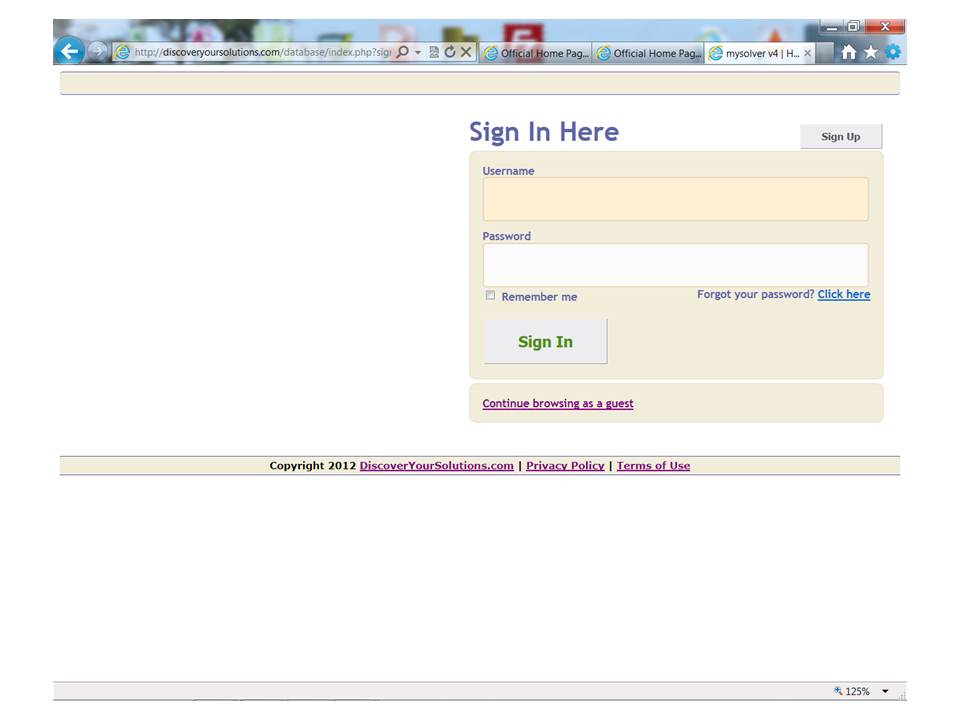
Screenshot of the MySolver™ Login page (click to enlarge).
Homepage - Main Menu
MySolver™ has a user-friendly Homepage - Main Menu. Just click on one of the tiles to enter into that part of the database.
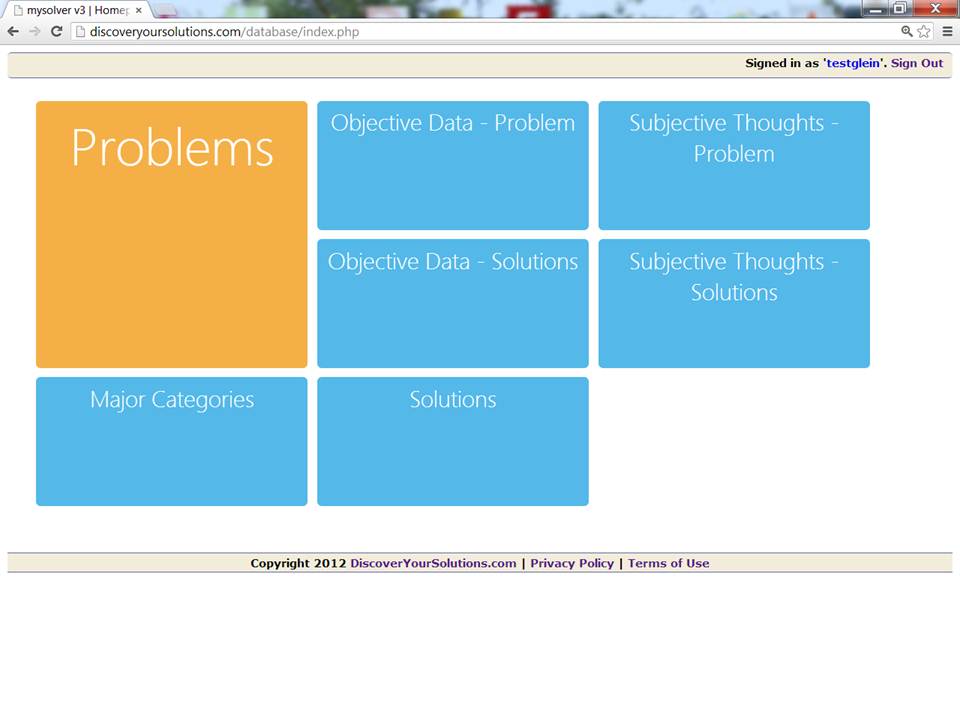
Screenshot of the Main Menu for the MySolver™ database (click to enlarge).
'Jump to ...' Main Menu
Each page inside the database has a 'Jump to ...' Main Menu. You can 'jump to' anywhere else in the database from this menu.
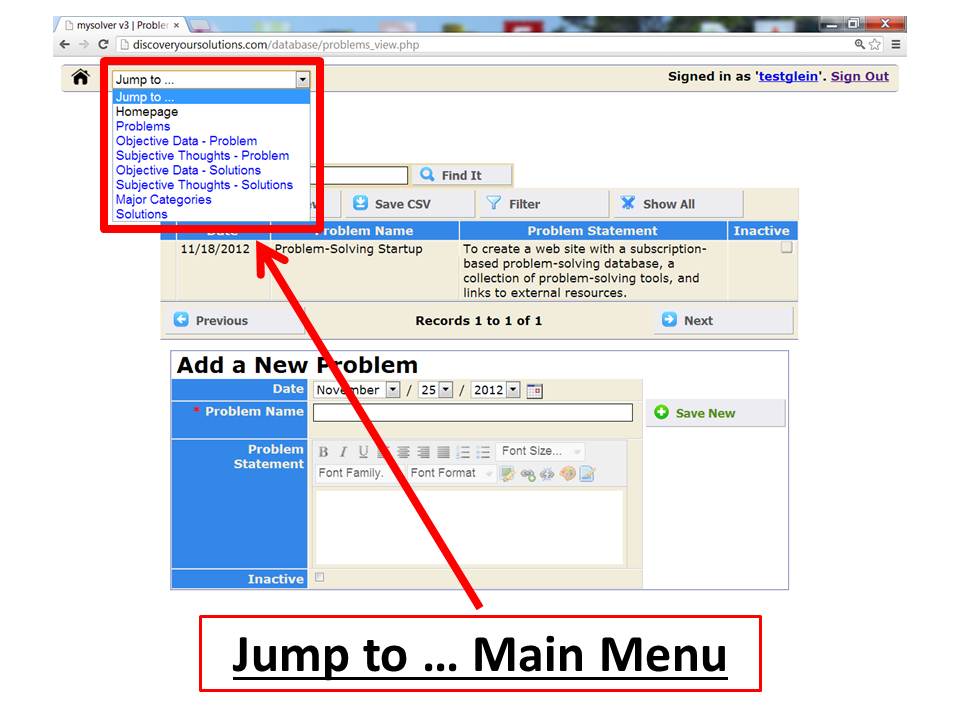
Screenshot of the 'Jump To...' Main Menu for the MySolver™ database (click to enlarge).
Data Entry Forms
Enter your important information into the MySolver™ database using our data entry forms. Just fill-in the blanks and choose from the drop-down menus to properly structure your data. No programming experience required.
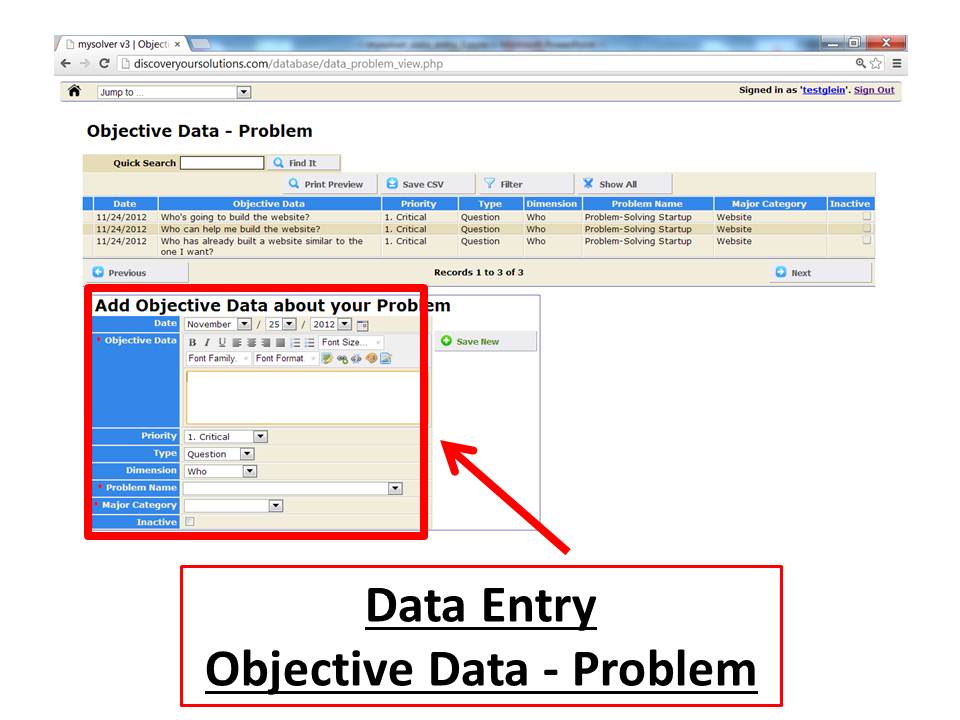
Screenshot of a Data Entry Form for the MySolver™ database (click to enlarge).
Spell Checker
There's a built-in spell checker to assist you with your data entry.
Database Table
Your important data is stored in a 'Database Table'. You can search, sort, and filter your data in the database table.
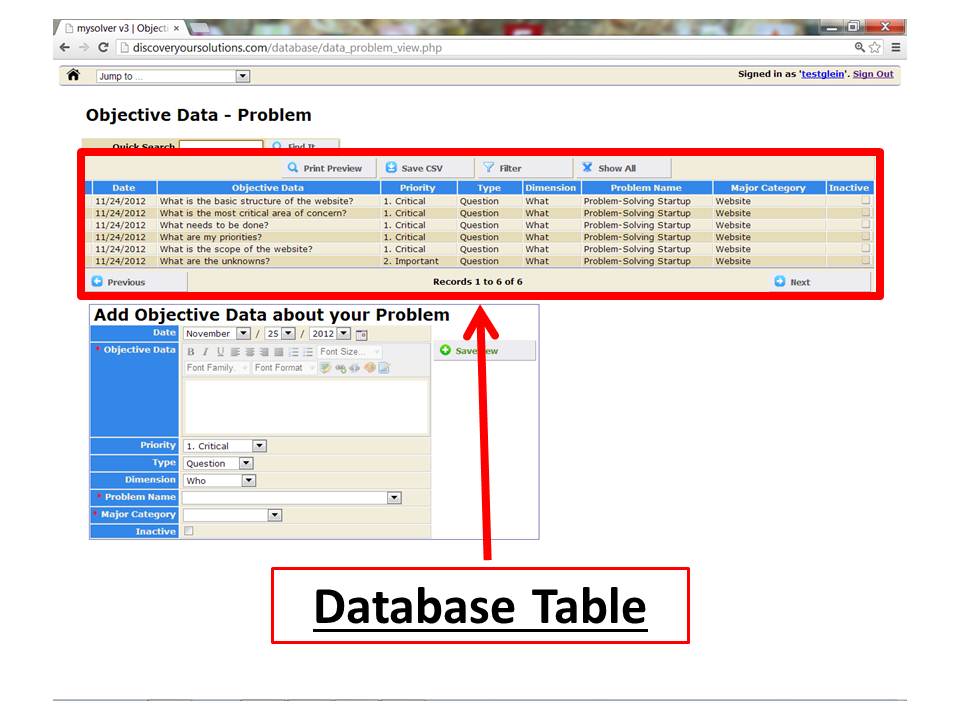
Screenshot of the Database Table for the MySolver™ database (click to enlarge).
Quick Search
Use 'Quick Search' to search by keywords.
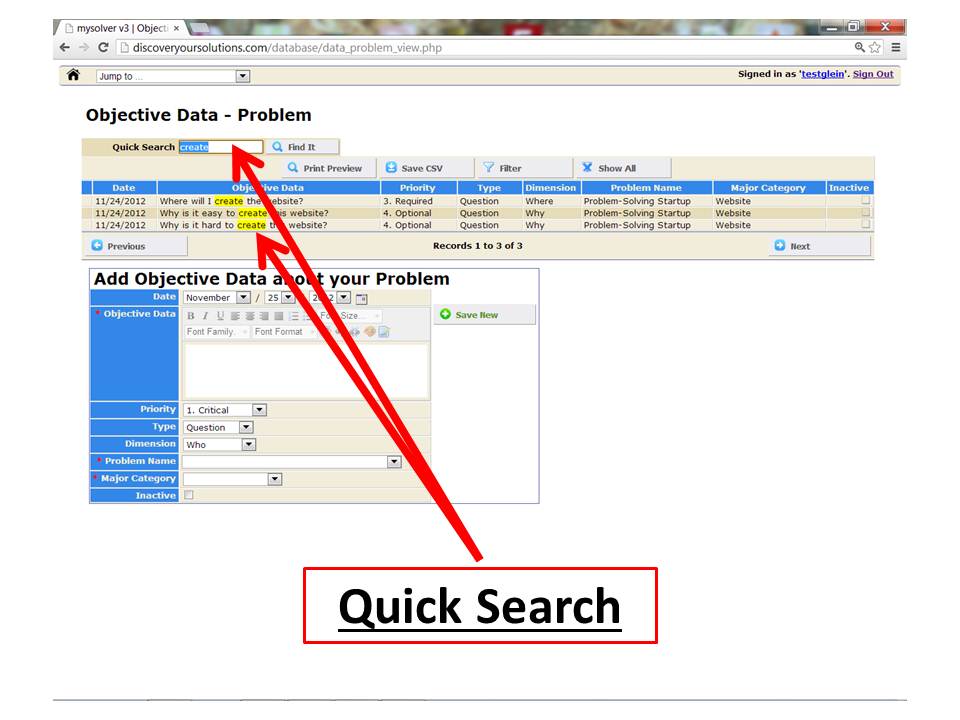
Screenshot of Quick Search for 'create' in the MySolver™ database table (click to enlarge).
Sorting
Sort your data table by any field in ascending or descending order.
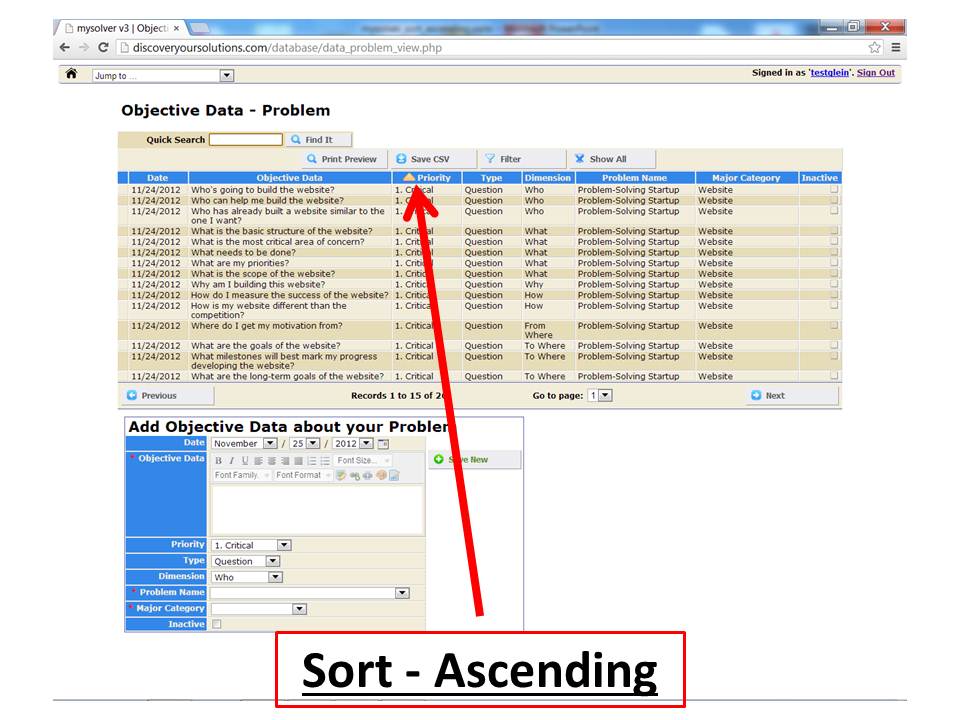
Screenshot of a simple ascending sort (click to enlarge).
Sorting by Multiple Fields
Sort your data table by up to 4 fields with the advanced sorting function.
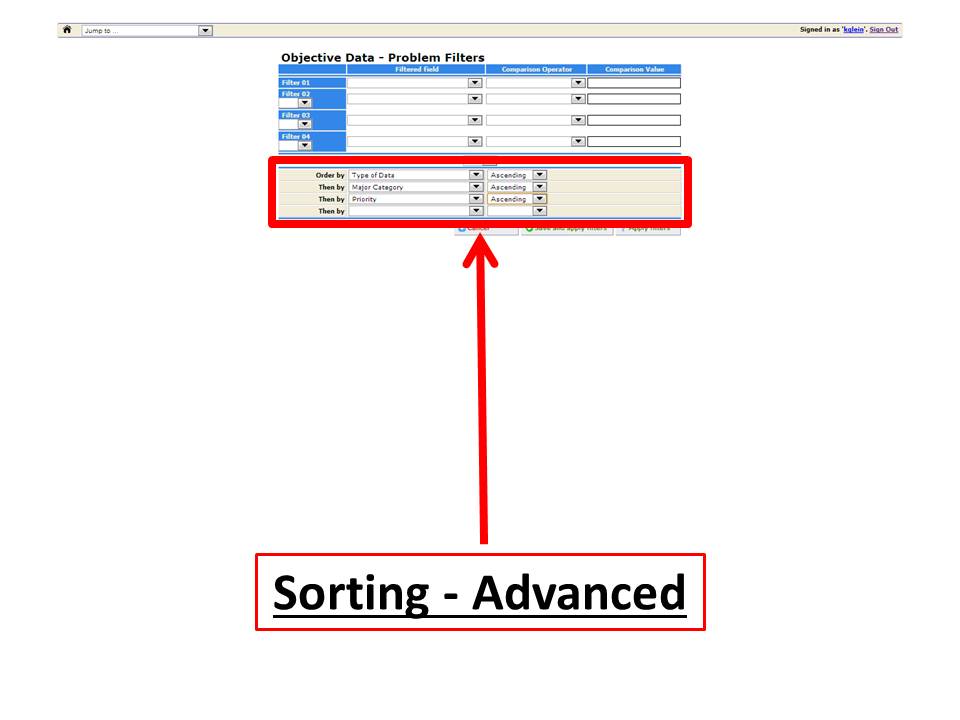
Screenshot of the advanced sorting function for the MySolver™ database (click to enlarge).
Filtering Data
MySolver™ offers you an extraordinary Filtering system. You can set up to 12 filters simultaneously. You can even save your custom filters.
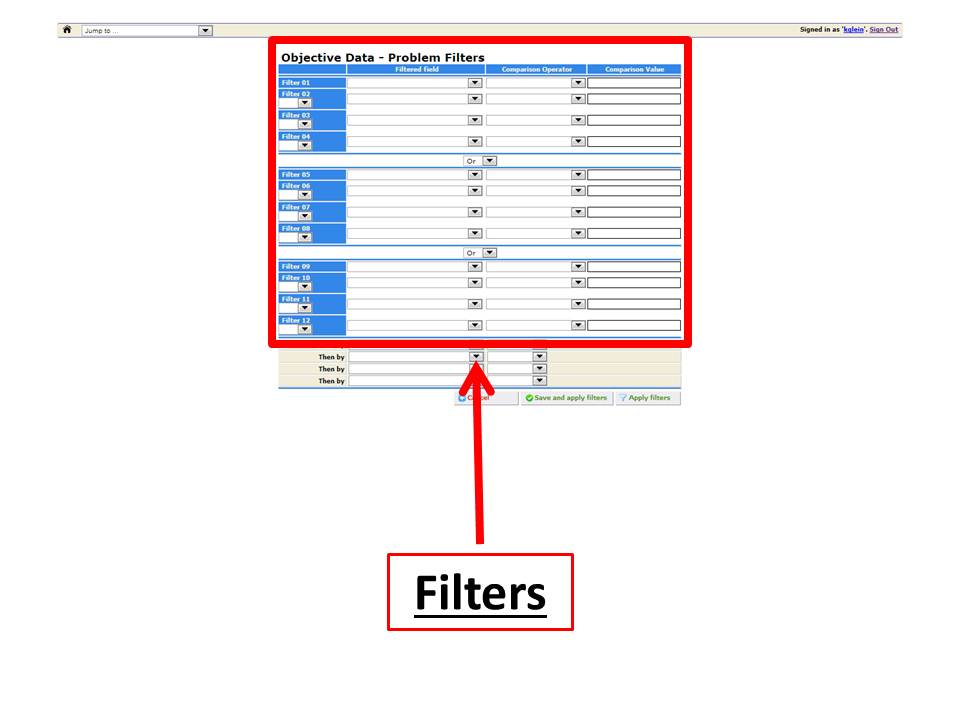
Screenshot of Filters for the MySolver™ database (click to enlarge).
Download Data
Use 'Save CSV' to download your data into Excel (or other spreadsheet). Technically, it converts your data into a CVS (comma-separated values) or comma delimited format, so you can export or extract it. This gives you easy access to your data for external use.
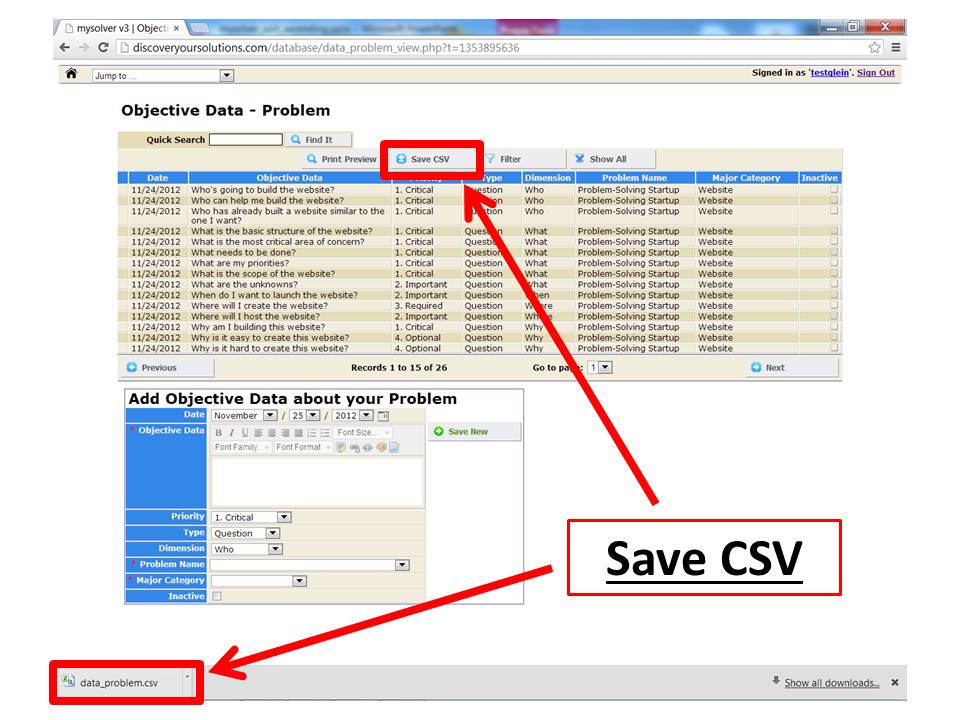
Screenshot of 'Save CSV' for the MySolver™ database (click to enlarge).
Print your data from the MySolver™ database tables.
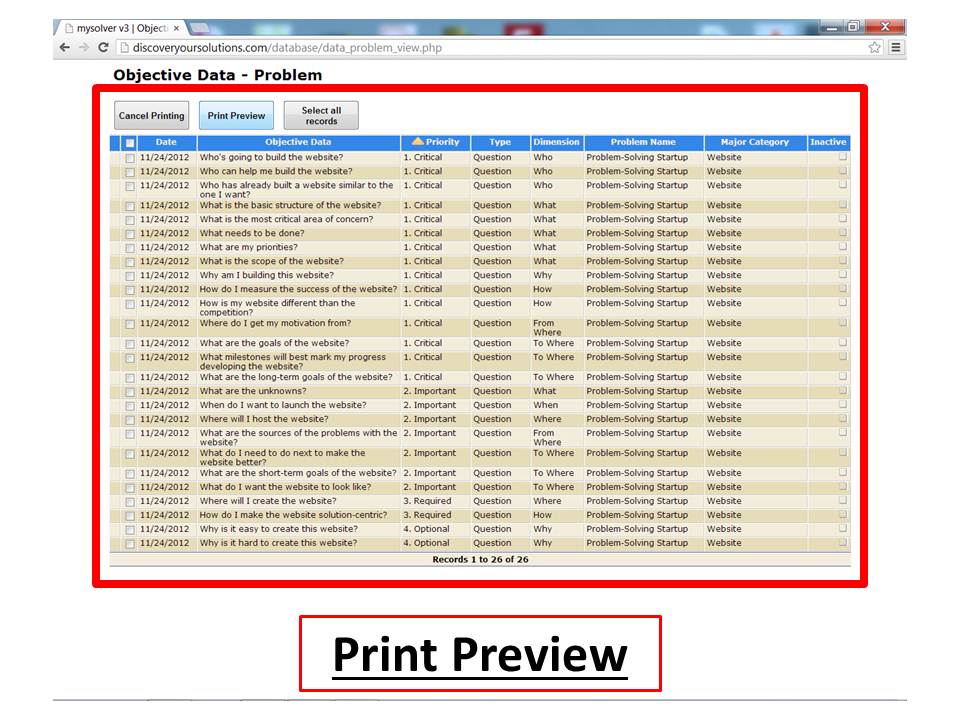
Screenshot of Print Preview from the MySolver™ database (click to enlarge).